 pocket sfx
record a bunch of sounds,
get a separate file for each one
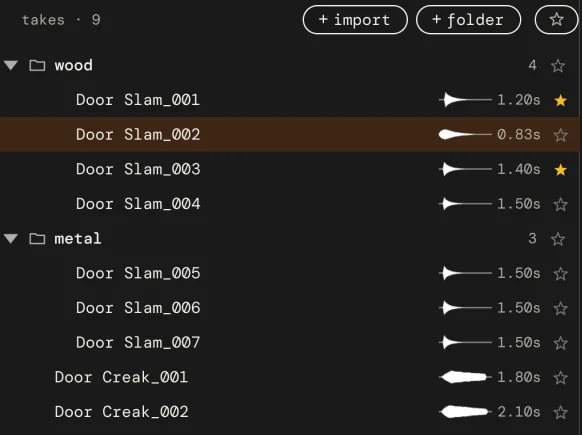
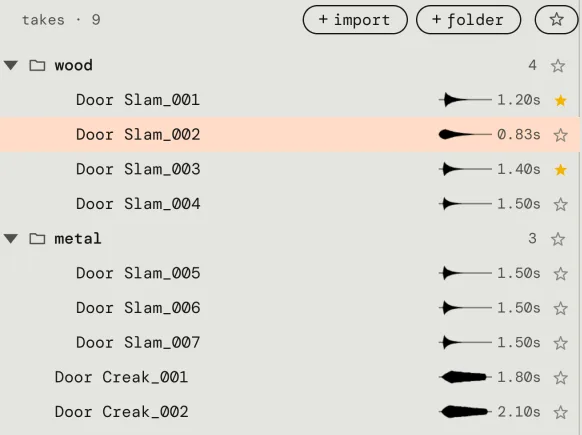
Recorded a bunch of sounds and now you have to cut them up and export each one? Pocket SFX skips that part. While you record, every sound becomes its own trimmed, faded and numbered WAV file, and it is ready for the next one.
the usual way
In an audio editor like Audacity, or in a DAW, the common way is:
- Record one long take with all the sounds in it.
- Find the sounds: place labels by hand, use Label Sounds, or split the take at the silences.
- Give each label or piece a name.
- Export Multiple, or render the pieces, into a folder.
It works, and it's free. For a few sounds it's fine. For a few hundred, steps 2 to 4 take longer than the recording.
with pocket sfx
- Type a sound name, for example
Zombie Grunt. - Press A. Make a sound, wait a second, make the next one.
- Each sound is saved as it ends:
Zombie Grunt_001.wav,Zombie Grunt_002.wavand so on, silence trimmed, short fades on. - Type a new name for the next batch. Each name counts on from its own last number, so nothing is overwritten.
pro-tip! the second of quiet between sounds is what ends a take. for sounds with long tails, or lines with pauses, set (stop after) a little longer.
what you end up with
A normal folder on disk, laid out the way you sorted it in the app:
Recordings/Creatures/Zombie Grunt_001.wavRecordings/Creatures/Zombie Grunt_002.wavRecordings/Creatures/Zombie Growl_001.wav
The untouched recordings stay in a _raw folder, so you can change a trim or fade later and the file is made again from the original.
good for
- Short voice lines for a game.
- Grunts, efforts, breaths and creature noises made with your voice or mouth.
- Foley variations: ten footsteps, twenty cloth moves, a box of keys.
- UI clicks, blips and one-shot samples.
It doesn't read a script, so takes are numbered by sound name. If you want a name per line, type it before you say the line. It also doesn't cut up long recordings you already have: it makes the separate files while you record.
Making sounds for a game? See make game sound effects.
questions
Can it automatically split my recording into separate files?
Yes, while you record. Each sound is saved as its own file the moment it ends, so there is never one long recording to split. For a long file you already have, see the last question.
Can it create a new file every time I record a sound?
Yes. In auto mode every sound that goes over the threshold starts a new take, and the take is saved as its own WAV file when the sound stops. Press R instead for a manual take that you start and stop yourself.
Do I still need labels or Export Multiple?
No. There is no export step for takes. The files are in the project folder the moment they are recorded, already named and numbered.
How short can a sound be?
Anything longer than the minimum length, 0.12 seconds by default, becomes a take. Shorter blips, like a bump on the desk, are ignored. Both the minimum length and the threshold can be changed.
Can it split a long recording I already have?
No. Pocket SFX makes the separate files while you record. You can import existing files and trim, fade and layer them, but it won't cut one long file into pieces.
vat / sales tax added at checkout where it applies.